Interviews and evaluations
Scheduling an interview
Create the event from the application or from the job's calendar area. Add the attendees, the time and the meeting details. If nobody can agree on a time, use a time poll to collect the slots that work.
Preparing the evaluation
Pick the scorecard that suits the interview round and assign the evaluators. Clear criteria help the team give more consistent feedback.
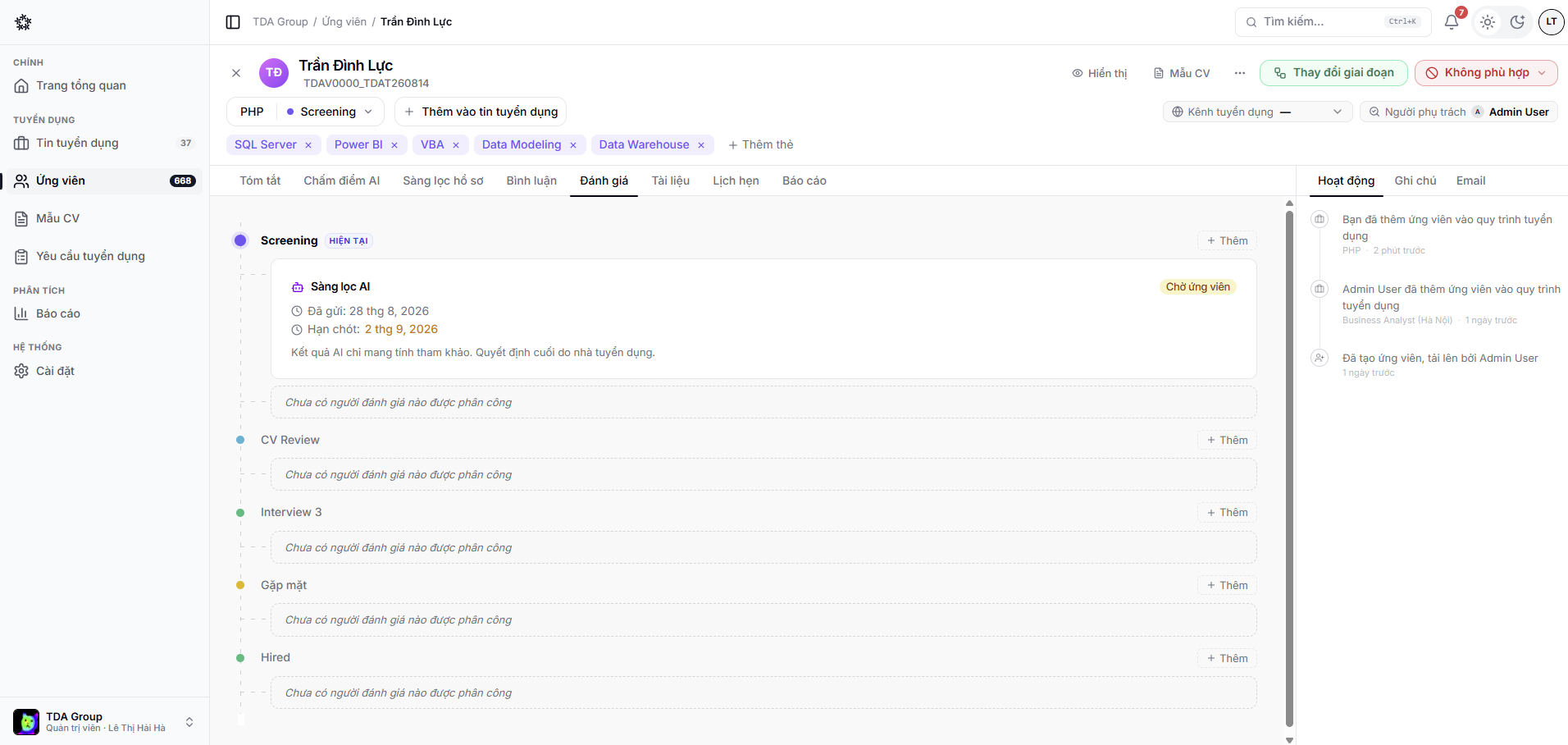
Inviting evaluators from outside
Not every evaluator is a member of the team. When you assign someone on the application's Evaluations tab, you choose their access mode:
- Requires sign-in — for people in the team;
- Link only — the recipient opens the link and scores straight away, with no account.
The second mode is for department managers, technical specialists or the client side. Just enter their email address when assigning.
Anyone holding the link can open the scorecard and the candidate information it carries. Send it only to the intended person and never post it in a shared channel.
Submitting feedback
An evaluator opens the request assigned to them, fills in the criteria and submits a decision. Feedback should rest on evidence tied to the job requirements, and should not record sensitive information that is not needed.
Evaluators do not have to be assigned first. If you can open the candidate and see the Evaluations tab, open the evaluation link you were sent: it is the same page assigned evaluators use. Only the current stage, while the application is still in progress, is open for your own evaluation. Your draft is saved automatically; submit it when you are done. Submitting adds you to the stage just like an assigned evaluator: you count towards the stage's evaluators, receive reminders, and your decision counts towards the automatic stage move. An unsubmitted draft does not count.
To ask colleagues for an evaluation without adding each of them, click the Copy evaluation link icon on the current stage and send that link. Anyone who can view the candidate lands straight on the evaluation page; people without view access (guests, clients) still need to be added manually.
Following progress
Recruiters can check which responses are still pending, which have been submitted and what is overdue before moving an application forward.