Candidate profile and documents
The candidate profile is the team's shared source of information throughout the hiring process.
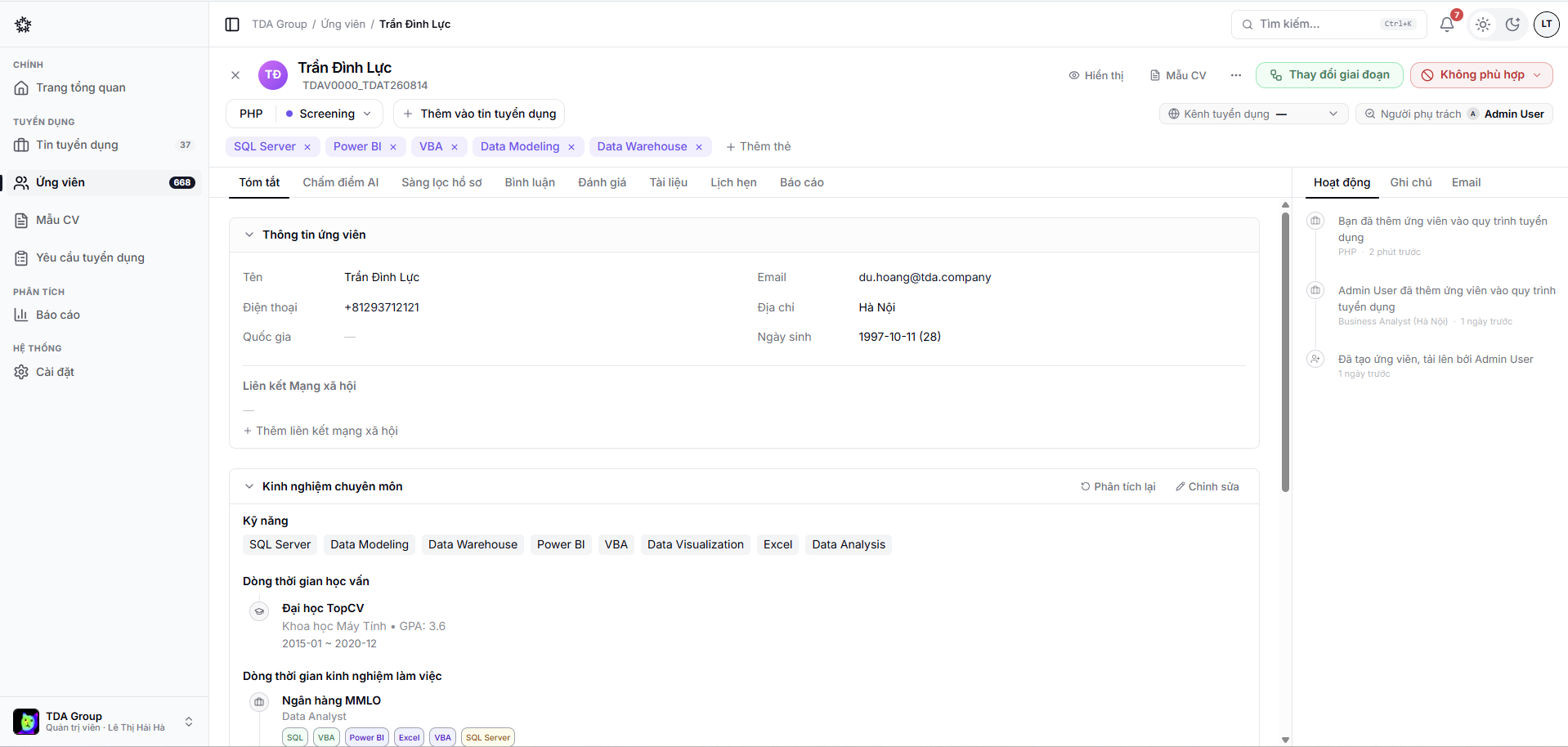
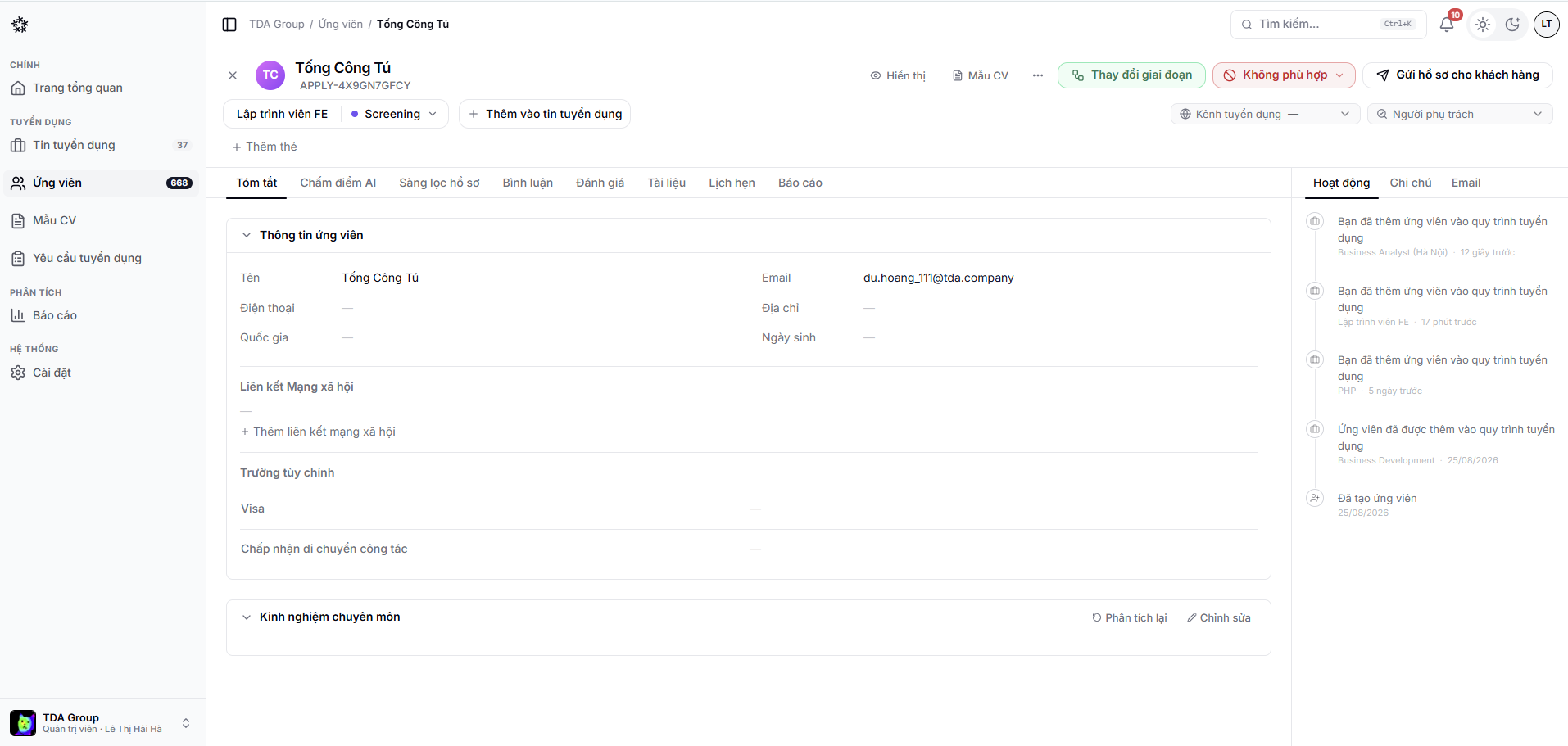
The tabs on a profile
| Tab | Contents |
|---|---|
| Summary | Personal details and what the AI extracted from the CV |
| AI Scoring | The CV measured against the job description |
| Screening | Answers to the screening questions |
| Comments | Internal discussion between team members |
| Evaluations | Scorecards from the interviewers |
| Documents | The original CV and any attachments |
| Schedule | Interviews that have been booked |
| Report | The whole application, summarised |
The right-hand column shows the application's Activity, Notes and Emails.
How many tabs appear depends on whether the profile is attached to a job. A draft profile has only Summary, AI Scoring and Documents.
Profile details
A profile can hold contact details, experience, education, tags and custom fields. Only update it from a source you trust, and follow your organisation's data protection policy.
CVs and attachments
You can manage the CV and related documents from the profile. Give files clear names, and avoid uploading anything the hiring decision does not need.
Activity history
The timeline tracks status changes and important actions. Use comments to add context, and scorecards for structured feedback.
Internal comments
Discuss a candidate on the profile itself, rather than scattered across chat and email.
- Open the Comments tab on the application.
- Write what you want to say.
- Type
@and pick a colleague to mention them — they are notified immediately. - Post.
Candidates and client-portal users cannot see them. Even so, write as though the record might be requested later: stick to the job requirements and avoid remarks about personal characteristics.
The candidate report
The Report tab gathers a candidate's whole journey onto one printable page — useful when closing out a decision or handing a profile to someone else.
It contains:
- Candidate overview — the basics, years of experience, education, language certificates, current and previous employers, skills;
- JD match analysis — each requirement of the position with a match level and a comment;
- Considerations — points worth clarifying before deciding;
- Evaluation history — the scorecards that have been submitted;
- Suggested interview questions — aimed at what the profile is missing;
- Recruiter memo.
The report is not generated automatically. Choose to generate it and give Recruify about a minute — the page updates itself when it is ready. When the profile gains new evaluations or a new CV, regenerate it.
Do not share links to candidate documents, or download them, outside the group of people responsible for the hire.