AI interview
An AI interview lets a candidate take part in a conversation that follows a prepared scenario, and lets the team review the result from the application.
Preparing a scenario
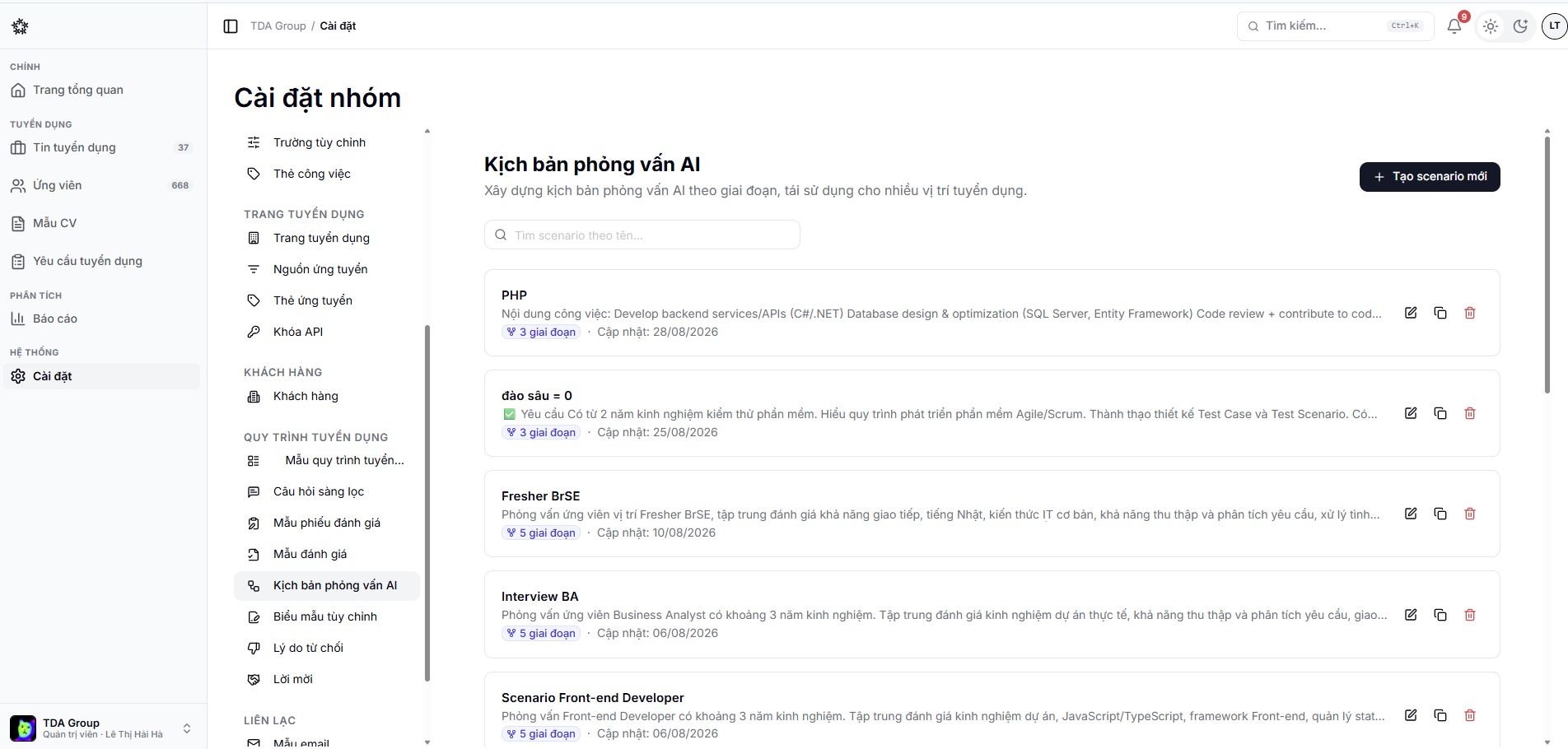
Open Settings → AI Interview Scenarios to create or edit one. Questions should be clear, tied directly to the role, and scored against consistent criteria.
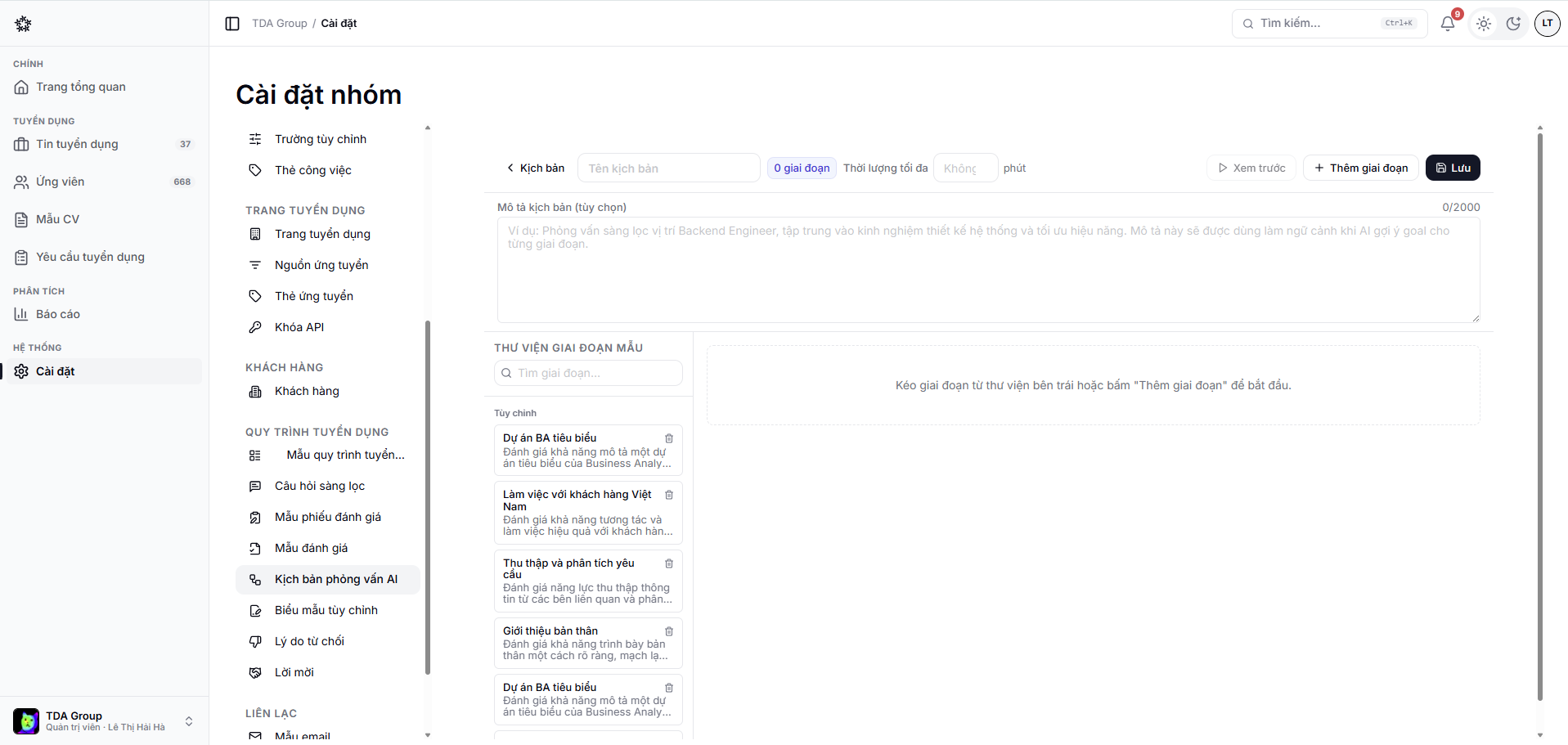
Open a scenario to reach the editor: name it, set a maximum length, and arrange its stages from the template library.
Enabling it for a stage
In the job's stage settings:
- Turn on AI interview;
- Choose the scenario;
- Configure the number of retakes, if you use that option;
- Save your changes.
When an application reaches that stage, the system can create a session and invite the candidate.
What the candidate goes through
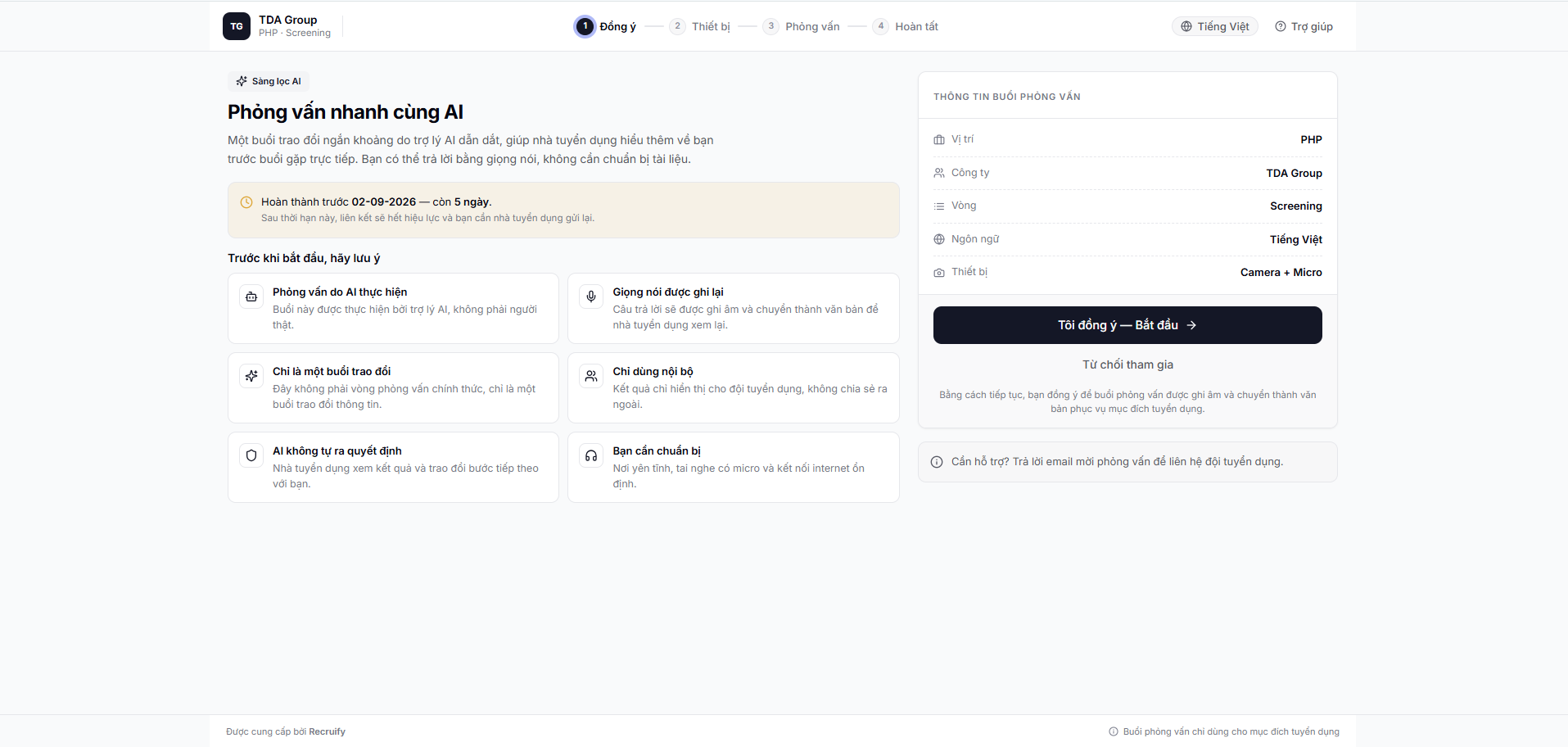
The candidate opens the link from the invitation email and moves through four steps: consent, device check, interview and finish. The first step states plainly that an AI assistant runs the conversation, that their voice is recorded, and that the result stays internal.
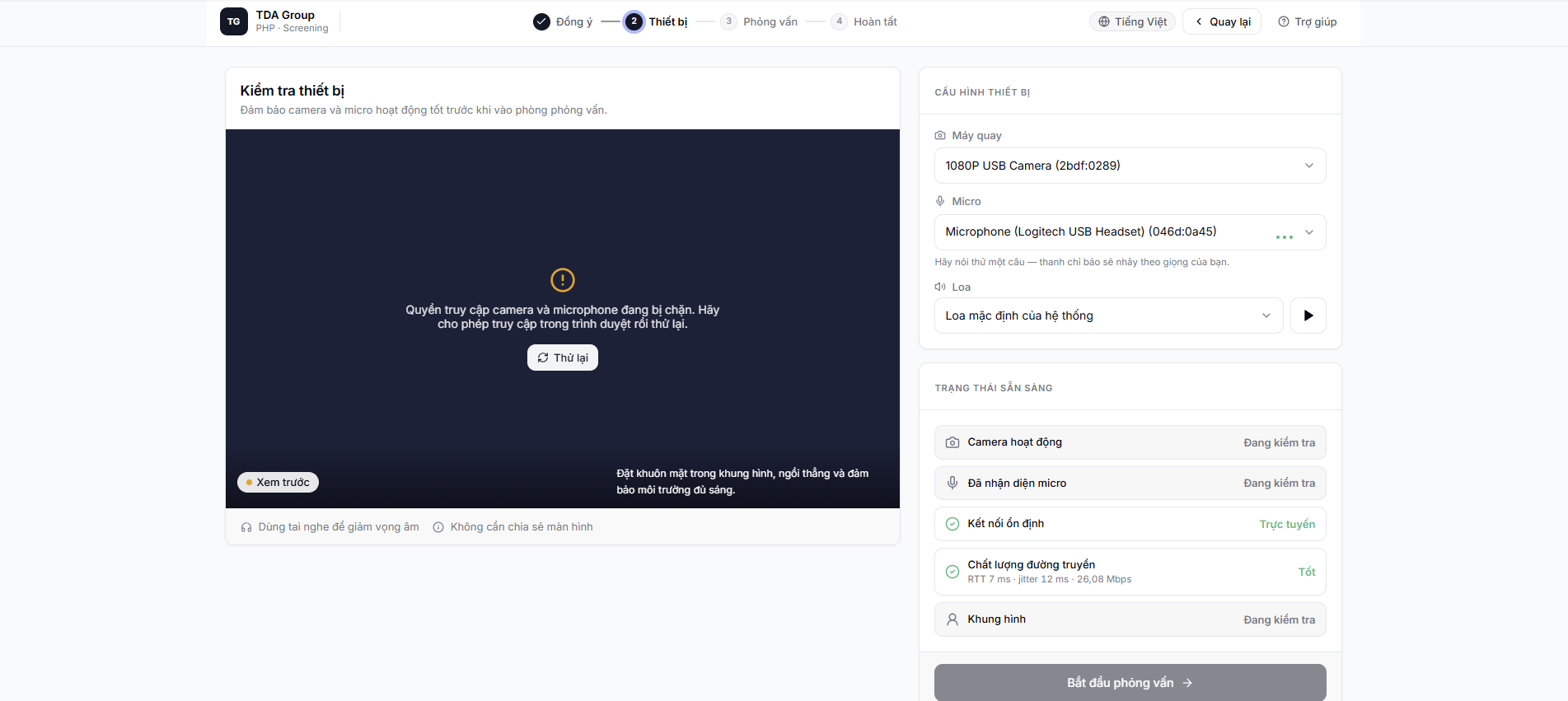
The device check lets the candidate pick a camera, microphone and speaker before entering the interview room. If the browser is blocking access, the screen explains how to grant permission and try again.
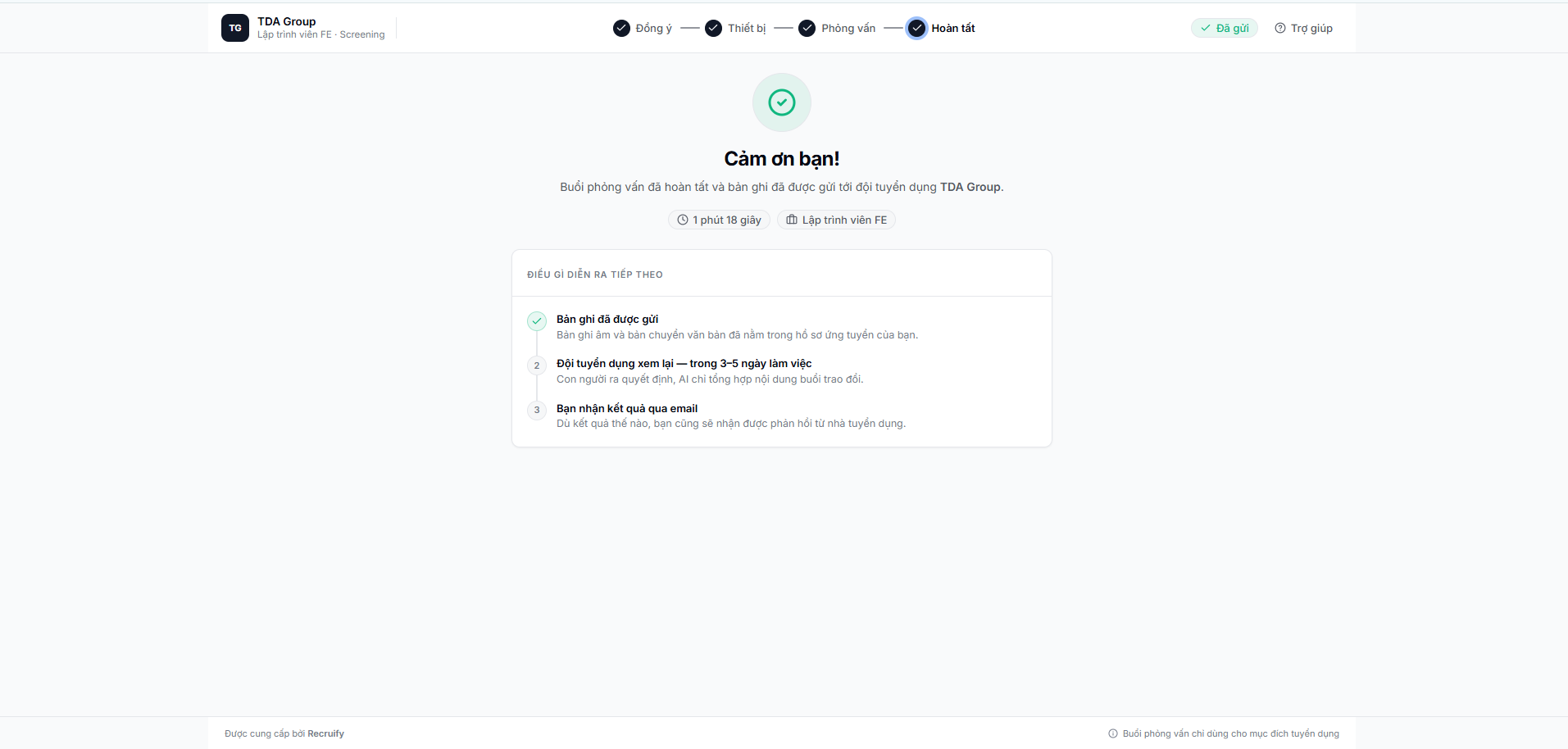
At the end, the candidate sees a confirmation that the recording has been sent, along with what happens next — the team reviews it, a person makes the decision, and the candidate hears back by email.
Reviewing the result
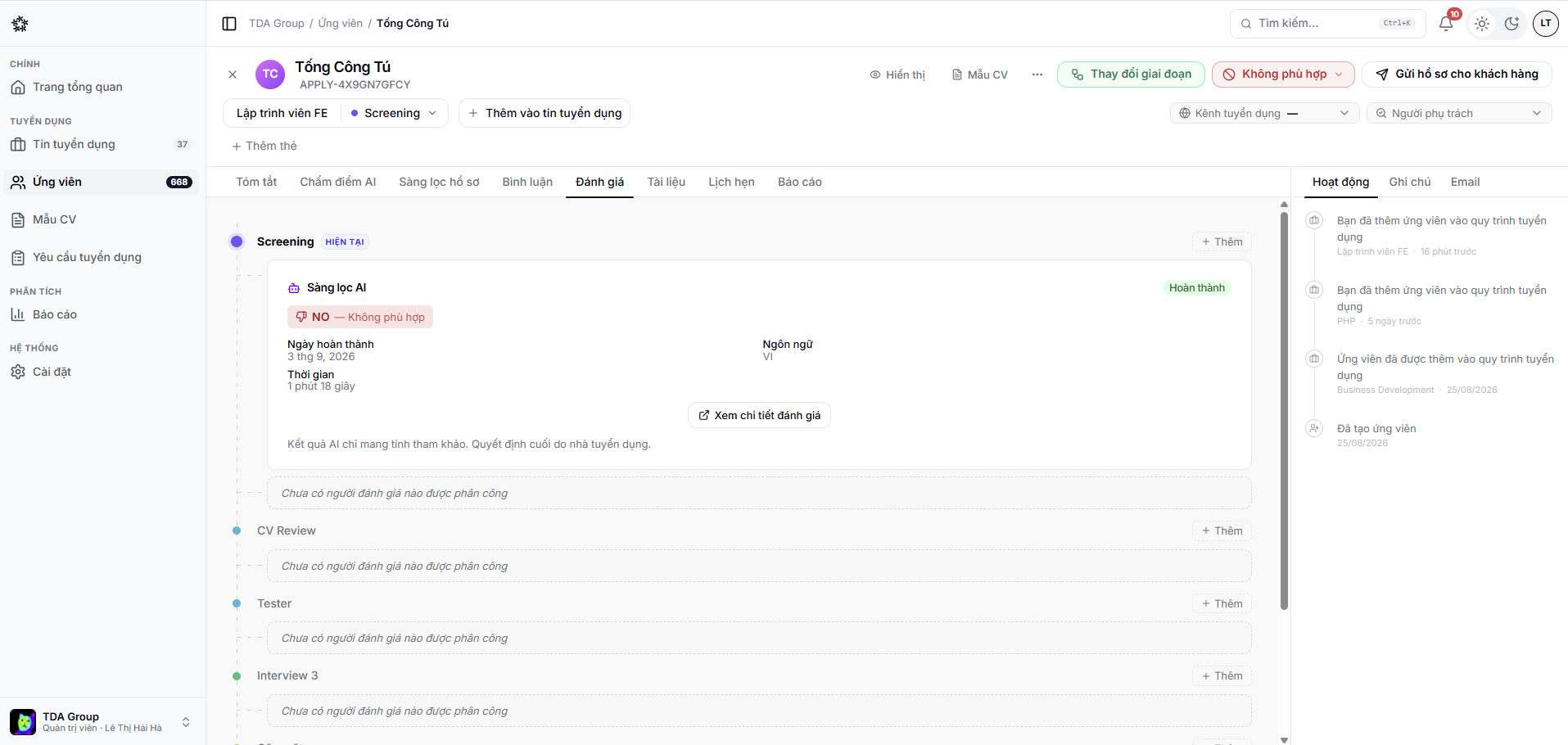
Once the session is over, recruiters can review the recording, the transcript and the result in the evaluation area of the application.
Availability depends on the features enabled for your team and on the system's AI interview service.