Hire the right people, with less overhead.
Jobs, candidates, interviews and reports in a single workspace. Start with the 10-minute setup guide, then look things up area by area as you need them.
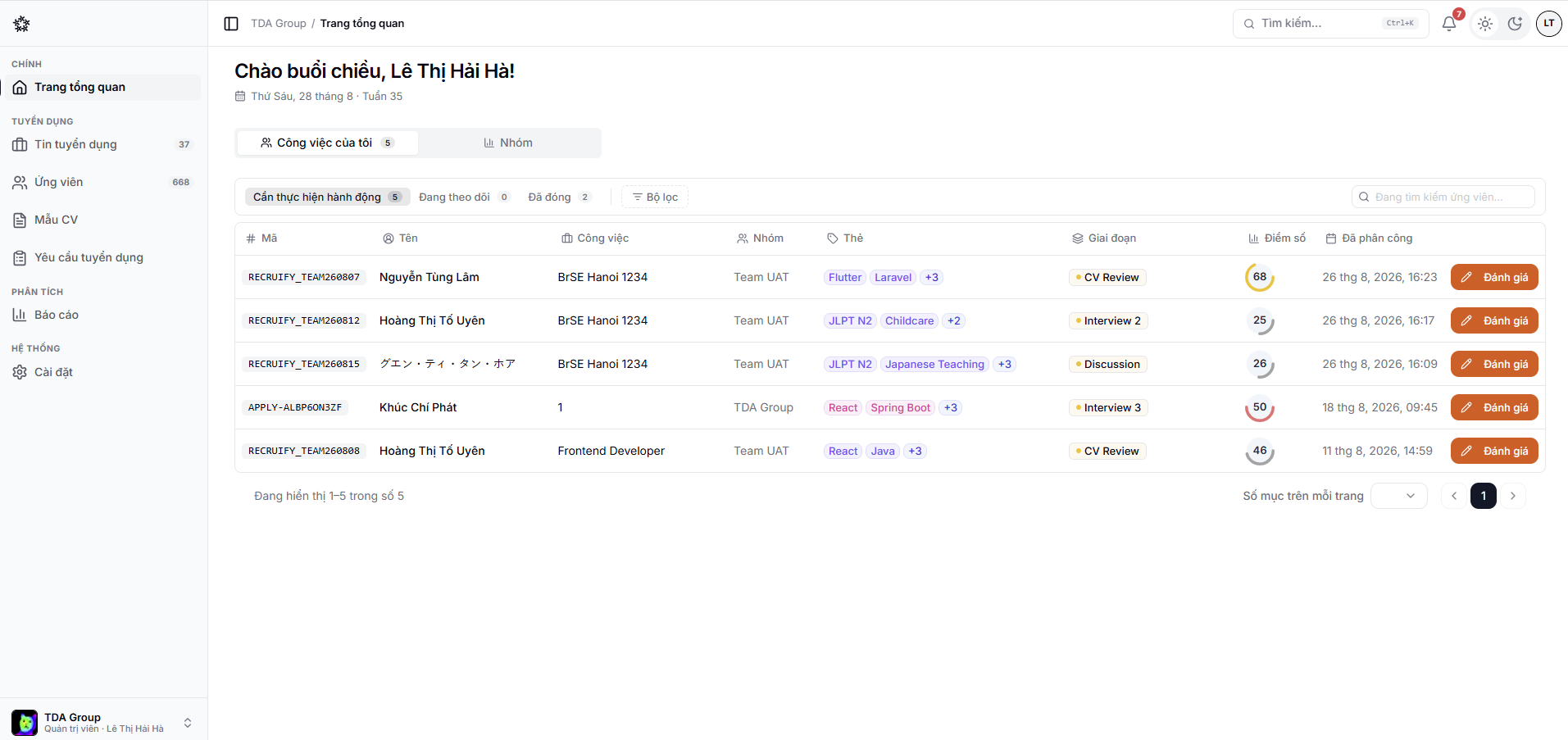
The Recruify workspace — jobs, candidate profiles and the pipeline board on one screen.
Start here
These four tasks take a team from an empty workspace to a position that is actively hiring.
Create the workspace, invite members and prepare your base data.
Set up the position and the pipeline, and get the posting in front of candidates.
Keep profiles, documents, conversations and history in one place.
Read the reports on jobs, candidate sources and team throughput.
One hiring cycle in Recruify
The four steps below repeat for every position. Each one has its own area in the product and its own section in this guide.
- Prepare
Set up the team, access rights and the shared templates — pipelines, scorecards, emails.
- Attract
Create the job, publish the public career page and start taking applications.
- Evaluate
Screen, interview and capture structured evaluations stage by stage.
- Decide
Send the offer, close the hire and reconcile the numbers.
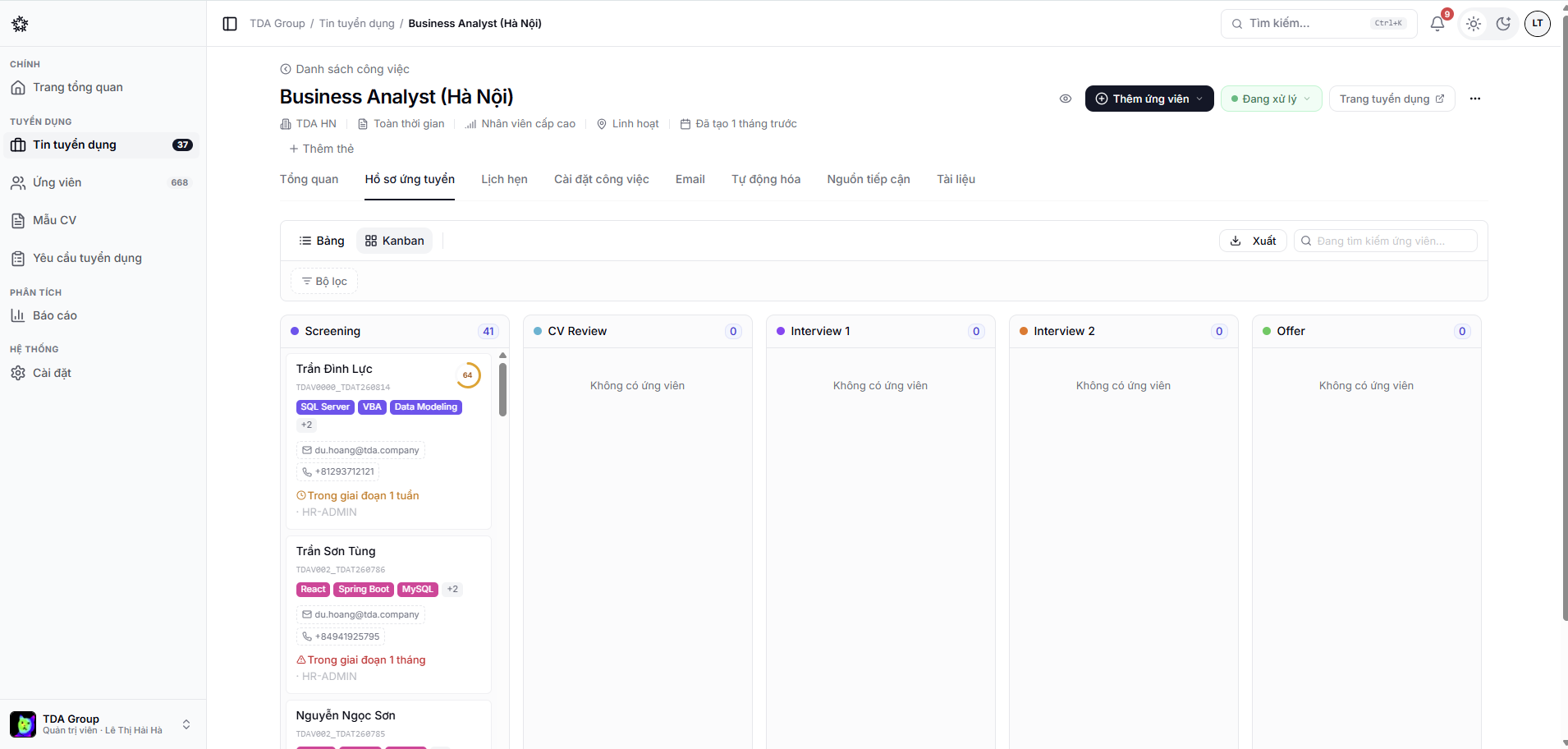
A job's pipeline board — applications moving through the configured stages.
Browse by area
The list of positions, their details and their hiring stages.
Move applications, run evaluations and automate the repetitive parts.
Scheduling, time polls and the AI interview round.
The public career page and the talent pool.
Figures on jobs, sources, the team and time to hire.
Members, roles, permissions and the shared templates.
What you can see depends on the role and permissions an admin has granted you in each team. See Members and permissions or Common issues.